Cost & Limits
AI tool costs and usage limits
Assess AI tool costs, staff effort and the usage limits that could interrupt ordinary business work.
Assess an AI tool by the cost of completing an acceptable task and whether its limits let the work finish when needed. Start with access and usage charges, then include setup, staff review, corrections and any recovery work when capacity runs out.
Identify what you are buying
A subscription commonly charges for access over a period, often by seat. Usage-based pricing charges for measured activity. A product may combine included usage with charges for eligible activity beyond an allowance. Record each component separately.
Define one unit of work, such as an approved customer-reply draft. Note how many people need access, how often the work arrives and whether demand varies over time.
| Cost question | What to record |
|---|---|
| Access | Seats, minimum commitment, billing period and included features |
| Use | Billable units, likely volume, retries and optional tools |
| Setup | One-off setup costs and how they are allocated |
| Staff work | Preparation, checking, correction and approval time |
| Interruption | The limit, reset rule and cost of waiting or using an approved alternative |
Concrete prices show how access and usage charges can stack up. Missive lists Starter, Productive and Business at $14, $24 and $36 per user per month on yearly billing, or $18, $30 and $45 monthly; its AI credits carry a 25% markup on the model provider's price.
YourGPT lists its Professional plan at $79 per month with 5 team seats and 30M AI credits; extra credits cost $7 per 2M. Confirm the billing currency before using any quoted $ amount in an AUD budget.
Service support can be a separate recurring cost from the software itself. A Brisbane two-person automation agency had 11 clients on a flat $990 monthly AI care plan, or $10,890 monthly in total on paper.
For an Australian business, compare amounts in the currency and tax treatment it will actually pay. Date the comparison because plans and entitlements can change.
Read the limits with the price
A limit may belong to a user, feature, workspace, project or billing account. Limits can also be seat caps, credit balances, per-action quotas, or daily and monthly feature caps.
Missive caps Starter at 5 users and Productive at 50, while Business allows unlimited users. Workspace app limits depend on the Workspace edition; Gemini app limits vary by feature.
Before comparing a product, verify which usage is included, what controls apply, and whether any separately accessed service has separate charges.
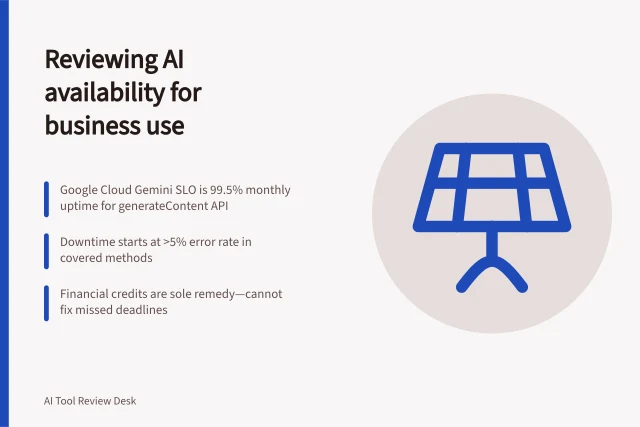
For an API, distinguish spending controls from rate limits. A workflow can remain under its monthly spending limit yet exceed a request or token limit during a burst. Raising a rate limit does not raise an approved spending limit.
A limit can also be specific to the feature and its action. Google's published limits include daily caps for some actions and monthly caps for others. A monthly allowance alone may not reveal whether a team can complete a concentrated run on a particular day.
Key Factors to Verify Before Using AI Tools in Australia
- Is the pricing in AUD with GST included?Confirm billing currency and tax treatment
- Are limits per user, feature, or account?Check whether caps apply to individual users or teams
- Do unused credits roll over?No — Google Workspace AI limits do not carry over
- Can users share their allowance?No — limits are non-transferable between users
- Is promotional access still active?Note enforcement dates for features like Slides to Vids
Check feature allowances, not just account access
Google Workspace usage limits apply to actions across several products, not only to prompts in the Gemini app. Examples include generating videos in Google Vids, using the AI function in Sheets, creating and running flows in Workspace Studio, and generating audio overviews in Gemini, Gemini Notebook or Google Drive.
Allowances vary by feature and tier rather than drawing on one shared AI quota. For example, it lists 5,000 and 25,000 monthly uses for the Sheets AI function, and 100 and 500 monthly actions for building and editing spreadsheets, across the listed business and enterprise tiers.
Other entries use different units. The table lists generated presentations in Slides as slides per month, Vids music generation as either 30-second clips or full tracks of up to three minutes, and Drive PDF audio overviews as daily actions.
Compare the unit with the business task: a monthly count of actions does not describe how many slides or minutes each action can produce.
Google Workspace AI Feature Allowances (Business & Enterprise Tiers)
- Slides – Generated Presentations
- Slides per month
- Drive PDF Audio Overviews
- Daily actions
Account for resets and non-transferable allowances
Google states that daily limits reset at 12 am Pacific Time and labels this as UTC-8. Monthly limits reset at 12 am Pacific Time on the first day of the month, also labelled UTC-8.
Unused Google Workspace AI usage does not roll over, and a user cannot share their limit with another person. A team therefore cannot treat spare capacity in one account as a pool available to cover a colleague's workload; plan the allocation around the users who need to complete the work.
Some Google limits depend on the Workspace edition, and Google says administrators can buy AI Expanded Access for business and enterprise users to increase feature access and limits for specific users or organisational units. This makes the assigned user, organisational unit and edition relevant when checking capacity, not just the organisation's general subscription.
Estimate a quiet and a busy month
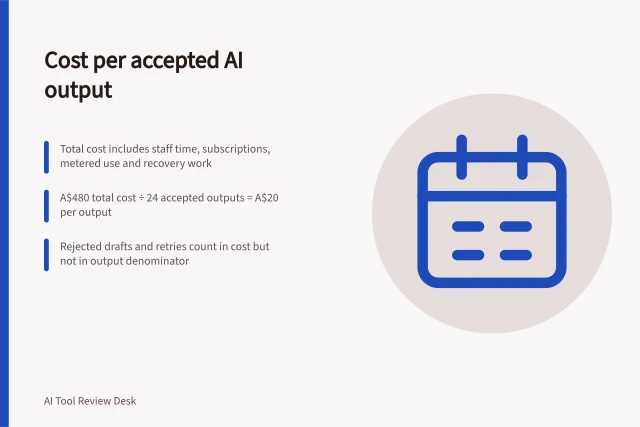
Add committed access, one-off setup costs allocated to the period, likely metered charges and staff time for each scenario. Include charged retries and work moved to an approved alternative. Divide total allocated cost by outputs that meet the same acceptance rule; generated drafts that are rejected do not count as accepted outputs.
For deadline-bound work, estimate the delay or manual effort involved in the approved fallback, and assign someone to own it.
The resulting decision should name the task, users, plan, expected volume, total cost range, acceptance rule and response to a limit.
Separate promotional access from dependable capacity
Google may provide increased access to advanced AI features before enforcing usage limits, and users receive a notification when they use features with higher promotional access. Treat that access as distinct from a continuing allowance when estimating routine workload.
Google Meet speech translation has promotional access. It also says conversion of Slides to Vids with avatars has promotional access until 1 November 2026, while enforcement of Workspace Studio limits starts on that date.
Record whether the feature is still in a promotional period and the stated enforcement date, then assess the workload against the limit that will apply after that period.
In this guide
- Estimating cost per accepted outputCalculate AI cost per accepted result, including paid usage, staff review, corrections, setup and rejected attempts.
- Checking limits that interrupt ordinary business tasksMap AI feature, rate and spending limits to an ordinary task, then record reset rules and a recovery route.