Pilot Programs
Evaluating AI tools for business tasks
A practical framework for choosing and trialling AI tools against real business work, accepted outputs, operating limits and review effort.
Choose an AI tool by the work it must help complete, the standard an acceptable result must meet, and the effort needed to get there. A useful evaluation shows whether your team can use it safely and reliably in its own process.
Start with a business outcome
Define the task before browsing products. Include the current manual process as a baseline and decide what would count as an improvement, such as less time, fewer corrections, faster turnaround or better coverage of routine cases.
Check software the team already uses. An existing product may have a suitable AI feature, but familiarity is only a reason to examine it. If a tool adds more checking and re-entry than it removes, a quick first response has little value.
Connect the task to a business goal, such as improving a process, speeding up work or improving customer service. business.gov.au recommends that digital tools support business goals and that a digital strategy guide tool choices alongside the business plan.
A digital strategy can also guide how the business protects data and tracks what is working over time.
Evaluating AI Tools: A Step-by-Step Process for Australian Businesses
- Define the business outcomeLink the task to a goal such as faster turnaround, reduced errors, or improved customer service.
- Assess existing toolsCheck if current software has built-in AI features that could meet the need without new costs.
- Screen candidatesRule out tools that can’t handle input/output formats, language requirements, or approval workflows.
- Trial with non-sensitive dataUse invented or anonymised data first to test performance and privacy compliance.
- Compare effort and output qualityTrack setup, prompting, corrections, and review time to assess real-world efficiency.
- Make a bounded decisionSpecify exact conditions under which the tool is approved—e.g., draft assistance only, with human oversight.
Screen candidates before a trial
List the requirements that could rule out a product. Can it accept the intended input, produce an output the next person can use, work in the required language and fit the approval process? Check the current plan and account settings rather than assuming every advertised feature is available.
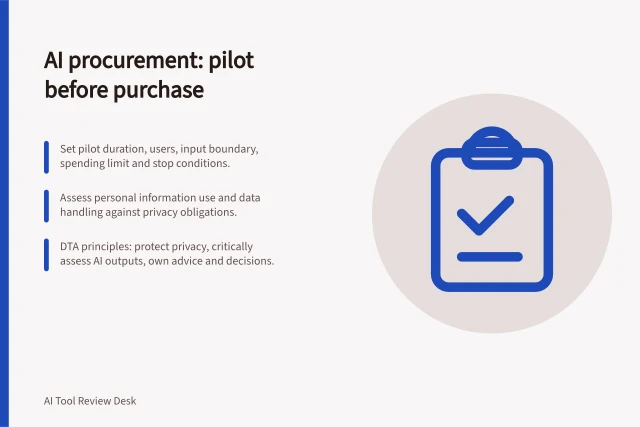
Before entering business information, review privacy requirements, particularly if personal information is involved. Use invented or otherwise authorised, non-sensitive material for an initial trial; check requirements before using customer or staff information.
Decision point / Evidence to collect
- Can it do the job?
- Current product documentation and outputs from the defined task
- Can staff accept the result?
- Corrections, omissions and review time compared with the existing process
- Can the business operate it?
- Plan limits, access controls, handover route and support arrangements
- Is it worth continuing?
- Accepted outputs and total effort, including setup and review
Key Considerations When Evaluating AI Tools in Australia
- Privacy ComplianceEnsure tools meet OAIC guidelines when handling personal information.
- Total Cost of OwnershipInclude upfront and ongoing costs; free tools may be sufficient for basic needs.
- Human Review RequiredAlways verify outputs—especially financial figures, legal statements, or customer communications.
- Integration with Existing SystemsCheck compatibility with current platforms like accounting software or HR systems (e.g., Rippling).
Pre-Trial Checklist for AI Tool Evaluation (Australia)
- Can the tool process the intended input?Confirm file types, languages, and data formats are supported.
- Does it produce usable output?Output must be clear, accurate, and ready for next-stage use.
- Is data privacy maintained?Avoid using real customer or staff data in trials; follow OAIC guidance.
- Are access controls and support available?Ensure team members can use it safely and get help if needed.
Compare the route to an accepted result
Compare candidates against the same task and acceptance rules in the intended workflow where practical. Record enough context to interpret the results, and count repeated prompting, manual preparation and repairs as part of the effort.
Review errors by consequence. An awkward phrase may be easy to edit; a wrong amount, unsupported promise or disclosure of restricted information can rule out an output.
Decide in advance which errors require correction, escalation or a stop. Human review should match the task's risk, and the person approving the work needs access to the underlying source.
Consider how the tool behaves under the operating conditions that matter, including when a person needs to take over. Vendor descriptions establish possible capabilities, not performance in your workplace.
For research tasks, check generated summaries against a trustworthy source before relying on them; business.gov.au cautions that they may not be fully accurate.
For customer support, consider whether the tool can refer an unresolved query to a person. The same guidance says AI can help with customer service, but it is no substitute for a real human connection.
Pros and Cons of Using AI Tools in Australian Business Processes
- ProsReduces manual work, speeds up routine tasks, improves consistency, supports scalability.
- ConsRisk of inaccurate outputs, privacy breaches with personal data, over-reliance on unverified information, hidden costs.
Match the AI approach to the work
AI covers different capabilities, so compare tools according to the task rather than treating them as interchangeable. Generative AI creates content; machine learning identifies patterns in data to produce predictions, recommendations or alerts; natural language processing analyses written or spoken language; and computer vision analyses images or video. A product may combine more than one type.
The Australian Government's business.gov.au guidance gives examples of these task matches: generative AI can draft emails or reports, while machine learning can analyse sales and customer data for trends. The capability that suits one task may not suit another.
Treat AI suggestions as material for staff to assess, not as guaranteed improvements. business.gov.au notes that brainstorming suggestions may not be useful for a particular business. That makes the team's acceptance criteria and review effort part of judging whether a capability helps with the intended outcome.
AI Tool Capabilities vs. Business Tasks (Australia)
- Generative AI
- Drafting emails, reports, and content; suitable for creative or routine writing tasks.
- Machine Learning
- Analysing sales data, customer trends, and forecasting outcomes; ideal for predictive insights.
- Natural Language Processing (NLP)
- Understanding and responding to customer inquiries in chatbots or support systems.
- Computer Vision
- Analysing images or video for quality control, inventory tracking, or document scanning.
Compare value and fit before committing
business.gov.au recommends comparing total cost of ownership: the upfront cost plus running costs over the tool's life span. Free or low-cost options may meet the need, so compare available choices against the task rather than assuming a more expensive product is necessary.
Check for overlap with tools the business already pays for and consider whether an existing subscription can meet the need.
business.gov.au also recommends choosing tools for current requirements rather than features the business might use later, and considering open-source software, free plans or bundled tools where they fit.
Make a bounded decision
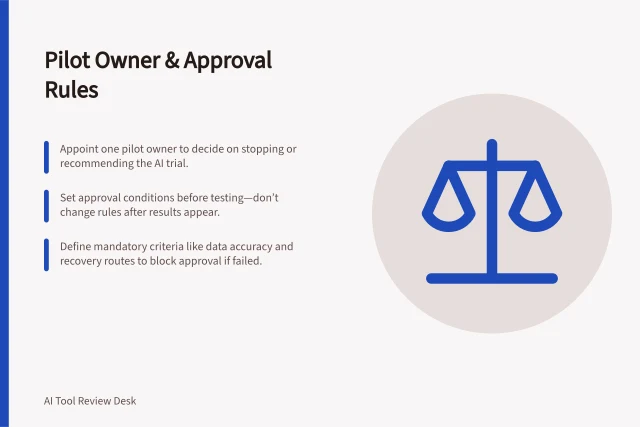
At the end of a trial, state the exact task, input types, users and conditions for which the tool is acceptable. Record the cases it could not handle and who owns them. A limited approval might cover draft assistance with mandatory human checking while excluding customer-facing answers or consequential decisions.
Review the decision when the task, product, plan or source material changes. Keep an owner and a way for staff to report failures after adoption.
In this guide
- Defining a repeatable task before comparing AI toolsTurn a vague AI use case into a task card with fixed inputs, outputs, acceptance rules, exceptions and a human owner.
- General-purpose assistants versus specialised AI productsUnderstand when a flexible assistant or a task-specific AI product fits better, with documented workflow examples and limits.
- Choosing and documenting an AI tool test set from real workSelect routine, varied and difficult work items for an AI trial, prepare an answer key and report results by case type.